
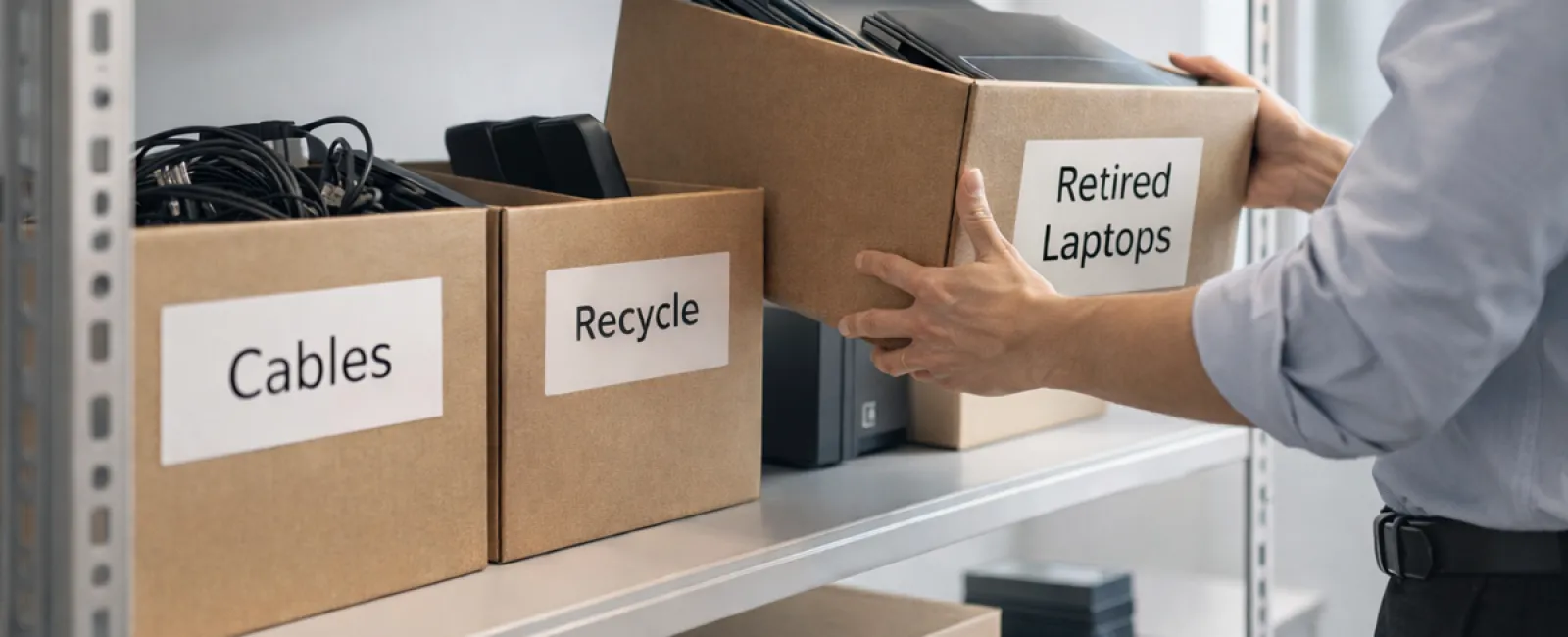
Spring cleaning often begins with closets, but for businesses, the biggest clutter usually hides elsewhere.
It might be piled on a server rack, stashed in storage, tucked away in a back office, or left in a "deal with later" box.
Obsolete laptops, retired printers, backup drives from multiple upgrades ago, and boxes of unused cables linger unaddressed.
Every company accumulates these items over time.
The key question isn't if you have outdated tech — it's whether there's a strategic plan for what comes next.
Technology Lifecycle Goes Beyond the Purchase Date
New equipment usually arrives with a clear purpose: improved speed, enhanced security, greater capability, or to support expansion.
While most businesses carefully plan tech acquisitions, few design a strategy for retiring or recycling old devices.
Tech retirement often happens quietly: replaced devices set aside, lingering until someone finally clears the clutter.
This is common, but it's far more effective to approach retirement with the same intentionality as buying new gear.
Old hardware holds value—whether through reuse, recycling components, or securely eliminating stored data. Otherwise, it just consumes space and energy.
Spring is the perfect moment to reflect: what technology is still valuable, and what's simply weighing you down?
A Clear-Cut Process to Organize Your Tech Assets
If you want to move past vague intentions, follow our straightforward four-step process.
Step 1: Take Inventory
Identify exactly what tech is being retired. Laptops, phones, printers, network hardware, or external drives? You can't manage what you don't know, and a simple review often uncovers more than anticipated.
Step 2: Determine the Outcome
Each device generally falls into one of three buckets: reuse (internally or by donation), recycle (via certified e-waste programs), or destroy (for sensitive data). Deciding intentionally prevents hardware from languishing in storage limbo.
Step 3: Prepare Devices Correctly
Proper preparation requires discipline.
For reuse or donation, remove devices from management systems, revoke access, and ensure thorough data wiping—not just factory resets. Deleting files or quick formats don't erase data but merely make it untracked.
Research by Blancco, a data security firm, found that 42% of resold drives on eBay still had sensitive information, even though sellers claimed proper wiping. Certified data erasure tools overwrite every sector and provide verification reports.
For recycling, always select certified e-waste vendors—not dumpsters or curbside disposal. Popular programs like Best Buy's only accept household items, not commercial equipment.
For business gear, choose certified IT asset disposition (ITAD) providers or specialized e-waste recyclers. Look for e-Stewards or R2 certifications, searchable at e-stewards.org and sustainableelectronics.org. Your IT provider can often facilitate these services.
When destruction is necessary, opt for certified wiping or physical destruction methods like professional shredding or degaussing. Keep detailed records: serial numbers, methods used, dates, and handlers.
This process isn't about paranoia—it's about responsibly closing the tech lifecycle.
Step 4: Document and Move Forward
After equipment leaves your premises, be certain where it went, how it was processed, and that all access was revoked. Proper documentation eliminates any future uncertainties.
Often Overlooked Devices to Consider
Laptops get the most attention, but many devices slip under the radar.
Phones and tablets may still house email accounts, contact lists, or authentication apps. While factory resets cover much, certified mobile wiping is more secure for business devices. Major brands like Apple and Samsung offer trade-in programs for even older models, which can offset the cost of new gear.
Modern printers and copiers often contain internal hard drives storing scans, faxes, and printed documents. When returning leased devices, get written confirmation that drives will be wiped or removed before reuse.
Batteries are hazardous waste according to the EPA, with some states (California, New York, Minnesota) prohibiting business disposal in regular trash. Remove batteries, tape terminals to prevent shorts, and recycle via certified drop-off points. Call2Recycle.org offers a locator map, and stores like Staples, Home Depot, and Lowe's often accept rechargeable batteries.
External drives and retired servers often remain forgotten in storage closets but require the same careful retirement procedures as other equipment.
The Importance of Responsible Recycling
April brings Earth Day reminders—a perfect time to reflect on electronic waste.
Electronic waste totals over 62 million metric tons annually, yet only about 22% is properly recycled. Batteries, circuit boards, and monitors belong in certified recycling streams. Many communities provide e-waste disposal programs designed to protect the environment.
Proper tech retirement isn't just eco-friendly—it's efficient and secure. You don't have to choose between safety and responsibility; you can achieve both.
Sharing your responsible recycling efforts on social media can also build positive brand credibility without sounding boastful.
The Larger Possibility
Spring cleaning goes beyond discarding—it's about renewing your business space.
Clearing old equipment is just one step. As you assess your tech, consider a broader question: does your technology truly support your business objectives?
While hardware cycles in and out, software, automation, and efficient processes ultimately boost your productivity and profits.
Properly retiring outdated gear is good upkeep, but aligning all technology with your goals propels sustained growth.
Our Role in Your Success
If you have an established retirement process, that's fantastic—this should be straightforward and routine.
If not, while you're replacing old hardware responsibly, consider reviewing your entire system: Are your tools integrated? Are workflows optimized? Is your technology fueling growth or just maintaining status quo?
We're here to help you analyze your tech stack, systems, and processes to maximize productivity and profitability.
No lengthy checklists. No pressure. Just a practical discussion about making technology work better for your business.
Click here or give us a call at 832-536-9012 to schedule your free Discovery Call.
If this insight helps your business, feel free to share it with others.
Spring cleaning is more than closets—it's optimizing the systems powering your business.


