
April 1 quickly passes, along with the harmless pranks and fake news that make you question everything on April Fools' Day.
Sadly, scammers don't follow that schedule.
Spring marks a prime time for cybercriminals. Not because employees are careless, but because busy schedules and distractions cause vigilance to slip. During these hectic moments, deceptive attacks blend seamlessly into the daily workflow, often unnoticed until damage is done.
Below are three current scams targeting savvy, well-intentioned employees just trying to get through their tasks.
As you review these, consider this critical question: Does my entire team consistently pause and identify these risks?
Scam #1: Fake Toll or Parking Fee Text
Imagine an employee receiving a text alert:
"You owe $6.99 in unpaid tolls. Pay within 12 hours to avoid fees."
It cites a legitimate toll agency — E-ZPass, SunPass, FasTrak — matching the local region. The small amount doesn't raise suspicion. Amid back-to-back meetings, the employee quickly clicks the link and pays.
But the link is fraudulent.
In 2024 alone, the FBI logged over 60,000 complaints about toll-related text scams; by 2025, such incidents skyrocketed 900%. Researchers uncovered more than 60,000 fake websites impersonating state toll systems, a testament to how lucrative these schemes have become. Some messages even targeted states without toll roads.
This scam's success lies in the low-dollar amount and familiarity—most people have recently encountered tolls or parking fees, making the message believable.
The best defense? Authentic toll authorities never demand prompt payment through text links. Smart companies institute strict policies: no payments via text. When in doubt, employees visit the official toll website or app directly and never reply to suspicious messages—even replying "STOP" can confirm your number is active and invite more scams.
Convenience lures you in; strict protocols protect you.
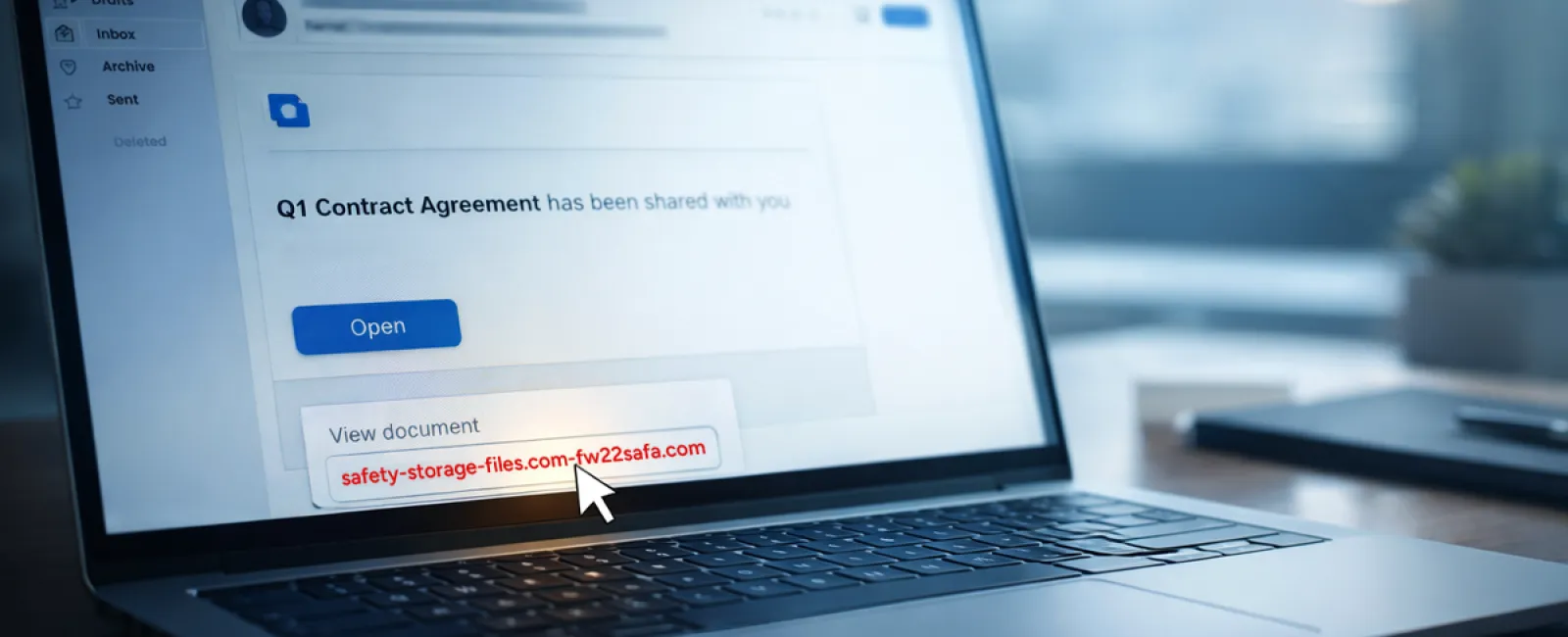
Scam #2: "Your File Is Ready" Phishing Emails
This scam fits right into everyday business.
An employee receives an email stating a document was shared with them—often a contract via DocuSign, a spreadsheet in OneDrive, or a file on Google Drive.
The sender appears legitimate and the email formatting mirrors real notifications.
They click, prompted to log in, and enter work credentials.
Immediately, attackers seize control, granting them access to your company's cloud environment.
Phishing attacks exploiting trusted platforms like Google Drive, DocuSign, Microsoft, and Salesforce soared 67% in 2025, according to KnowBe4's Threat Labs. Google Slides phishing alone surged over 200% within six months.
Worryingly, employees are seven times more likely to click malicious links from trusted services like OneDrive or SharePoint than unknown emails due to the authentic appearance.
Advanced attackers even hijack accounts to send notifications from legitimate servers, bypassing spam filters.
Protection measures: Train employees to avoid clicking unexpected shared file links. Instead, instruct them to log into platforms directly to verify files. Businesses can mitigate risks further by limiting external sharing permissions and enabling alerts for suspicious logins—settings your IT team can activate quickly.
Simple caution yields powerful protection.
Scam #3: Perfectly Crafted Phishing Emails
Gone are the days when phishing emails were riddled with mistakes.
In 2025, a study showed AI-generated phishing emails achieved a 54% click rate compared to just 12% for human-written ones—over four times more effective. These emails seamlessly mimic real company details, job roles, and processes by harvesting public data from LinkedIn and websites within seconds.
Targeted attacks now focus on departments—HR and payroll receive fake employee verification requests, finance is hit with vendor payment redirection emails. In one test, 72% of recipients interacted with vendor impersonation emails—90% higher than average phishing click rates. These messages are calm, professional, and urgent without sounding dramatic, blending into any workday inbox.
How to counteract: Always verify requests involving credentials, payments, or sensitive info through a secondary method like a call, chat, or in-person confirmation. Before clicking, hover over email addresses to confirm the domain. Treat any urgent tone in an email as a red flag rather than a call to immediate action.
True security doesn't rely on panic—it depends on vigilance.
Bottom Line
Every one of these scams exploits trust, authority, timing, and the notion that "this will only take a moment."
The real threat isn't careless employees but systems that expect everyone to slow down, double-check, and make perfect decisions when stressed.
If a quick mistake can disrupt your entire day, you're facing a process failure—not a people problem.
Fortunately, process weaknesses can be fixed.
How We Can Support You
Most business leaders don't want another overwhelming project or the burden of educating everyone on what not to click.
They simply want to ensure their business remains secure and protected.
If concerns about your team's exposure resonate—or you know someone who should hear this—let's connect.
Arrange a clear, no-pressure discovery call where we'll discuss:
- Current risks facing businesses like yours
- Common entry points in everyday workflows
- Practical, low-friction strategies to reduce vulnerabilities
No scare tactics. Just honest dialogue to uncover risks and explore solutions.
Click here or give us a call at 832-536-9012 to schedule your free Discovery Call.
If this doesn't apply to you, feel free to share with someone who would benefit. Often, knowing what to watch for transforms a "would have clicked" into a "nice try."


